Define the repository model
Microsoft now provides dedicated guidance for X++ in Git. Version source and meaningful metadata while excluding compilation output, local caches and secrets.
I favour one repository per coherent product or solution, not automatically one repository per model. Models that are tightly coupled should compile and ship together. Conversely, a monorepo containing unrelated customers and products expands build scope and encourages accidental dependencies.
What belongs in Git?
Track
- Model and package descriptors (
.descriptorfiles). - X++ metadata and useful project files (
.rnrproj). - Build scripts and NuGet configuration.
- Automated tests and non-sensitive reference data.
- Versioned technical documentation and ADRs.
Exclude
- Binaries and build output (
bin/,obj/). - Visual Studio temporary folders (
.vs/). - Downloaded packages and NuGet cache.
- Keys, passwords and certificates (
.pfx,.snk). - Developer-VM-specific settings and
*.userfiles.
.vs/
**/bin/
**/obj/
*.user
*.suo
PackagesLocalDirectory/bin/
PackagesLocalDirectory/XppMetadata/
*.pfx
*.snk
.env
# Unified dev experience — exclude Power Platform generated output
.pac/
OutputDirectory/
Exact paths differ between the classic and unified developer experiences. Validate the rule on a clean clone: can the pipeline restore, compile and test without undeclared local content?
Select a branch strategy
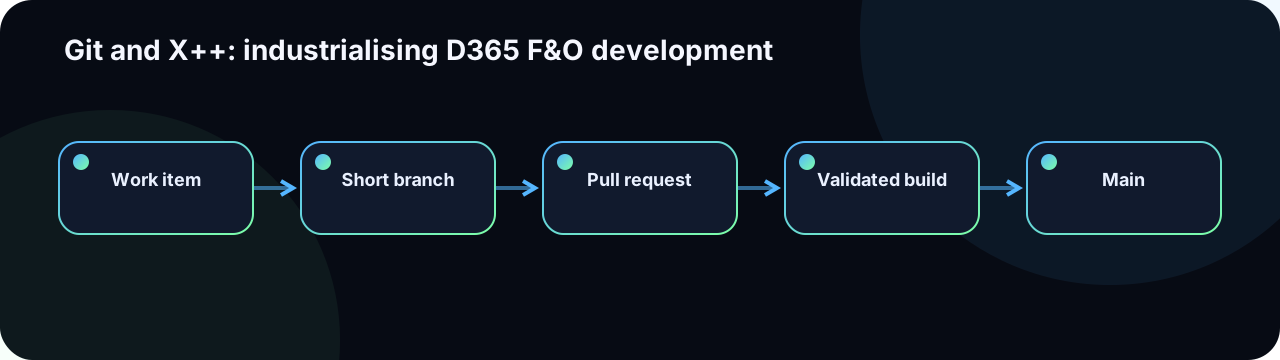
For most D365 teams, trunk-based development with short-lived branches is easier to govern than long-running GitFlow. main stays stable and deployable; each ticket uses a temporary branch that lives no longer than the sprint.
feature/ADO-1423-credit-controlfix/ADO-1510-invoice-ssrs-layouthotfix/ADO-1612-batch-deadlock
Permanent release branches are justified only when multiple supported versions truly need parallel maintenance. For SaaS deployments, they are almost never necessary.
Create reviewable commits
A commit should express one technical intention. Mixing mass renaming, formatting and business logic makes XML reviews unnecessarily risky.
ADO-1423 Enforce credit hold before sales order release

- add QwoCreditPolicy service class
- wrap SalesTable.checkCreditLimit() through CoC
- add SysTest coverage for blocked and allowed customers
- update model descriptor version to 1.1.0
The message links code to the work item and explains the intent. Noisy intermediate commits can be squashed during pull request completion, but intermediate stash commits should be excluded from the final history.
Resolve X++ metadata conflicts safely
D365 artifacts are XML. A textually valid merge can still create an invalid artifact: duplicated controls, broken references, changed identifiers or removed properties. The risk varies by artifact type:
| Artifact type | Conflict risk | Safe resolution approach |
|---|---|---|
| Class / table method | Low — isolated methods rarely collide | Standard merge; compile and test |
| Form (AxForm XML) | High — control tree, data sources and events in one file | Reopen in Visual Studio designer; never merge form XML by hand |
| Model descriptor | Medium — version, dependency list | Manually reconcile versions and dependency list |
| Label file | Medium — order-sensitive XML lines | Merge by label ID; remove duplicates; recompile labels |
| Security policy / role | High — privilege list can lose entries silently | Cross-reference original privilege list after merge |
After any metadata conflict resolution: reopen the object in Visual Studio, compile the model and execute focused tests. Do not resolve complex XML only in a text editor.
- Split stories to avoid concurrent edits to the same form.
- Rebase short branches frequently against
main. - Separate extensions by responsibility to minimise shared file ownership.
- Add metadata validation to CI (compile and Best Practice check).
See Version control, metadata search and navigation for development-tool context.
Git in the unified developer experience
The unified developer experience (local development on DevBox or developer machine, without a full AOS VM) changes some Git assumptions:
- Source lives under a
Reposfolder and is mapped to a Power Platform solution; the repository still follows the same branch strategy, but the folder paths underPackagesLocalDirectoryno longer apply. - X++ metadata is compiled by the
pac d365 buildtoolchain, which requires the correct NuGet packages andnuget.configto be committed alongside the source. - The
.pac/folder and generated output must be excluded from Git. The Power Platform CLI handles its own state. - Pull requests should still compile from a clean agent image. The CI/CD for the unified developer experience guidance describes the reference pipeline.
Pull request policy
- A linked work item with readable acceptance criteria.
- At least one reviewer familiar with the affected domain (functional or technical).
- A mandatory validation build (compile + Best Practice check at minimum).
- Blocking comments resolved, not merely acknowledged.
- Evidence for UI and SSRS testing attached or linked.
- Explicit performance, security and batch assessment for any table method or batch job.
- No secrets, binaries,
.userfiles or unrelated changes. - Branch up to date with
mainbefore merge.
Control model dependencies
A dependency added to reuse one class can enlarge compilation scope and impose deployment ordering. Challenge each new package reference: can the capability be exposed through an abstraction, delegate, contract or a genuinely shared model?
The pipeline must compile from a clean environment. A build that only succeeds on the author's VM usually exposes an undeclared local dependency. Pin NuGet package versions in packages.config and commit the file.
Document model-dependency decisions in an Architecture Decision Record (ADR) stored in the repository under docs/adr/.